


Free Mailer Box Dieline Template
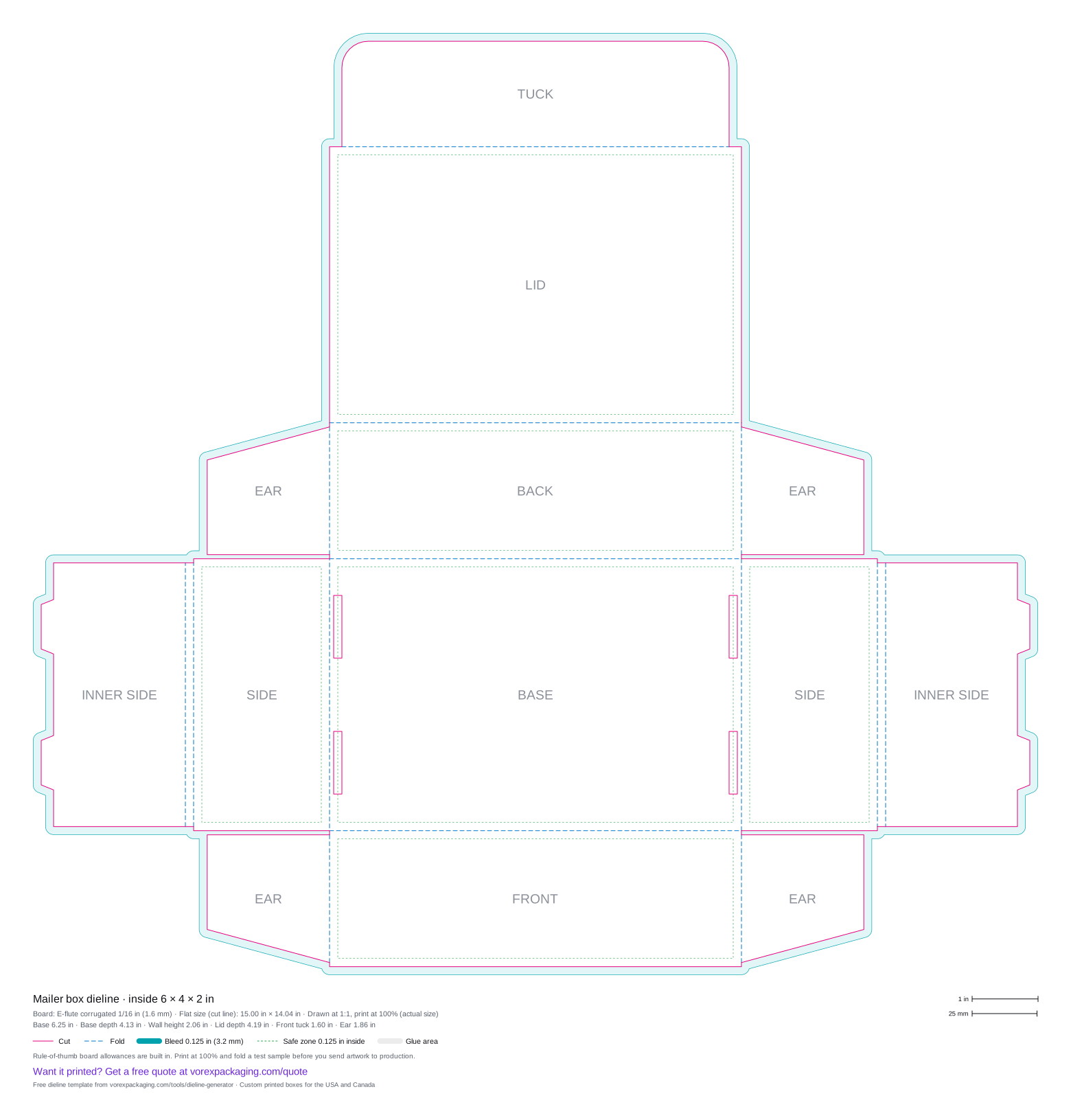
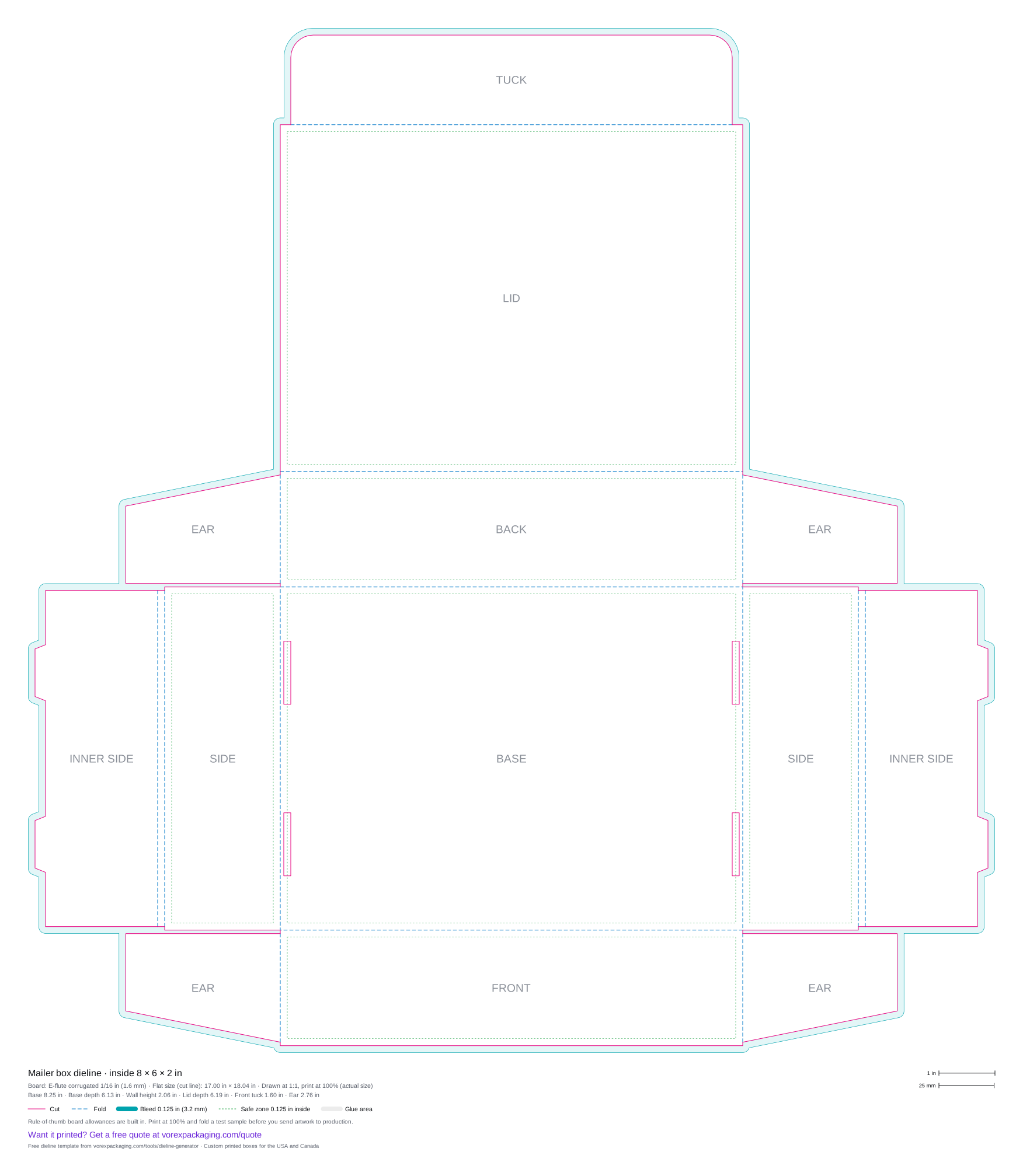
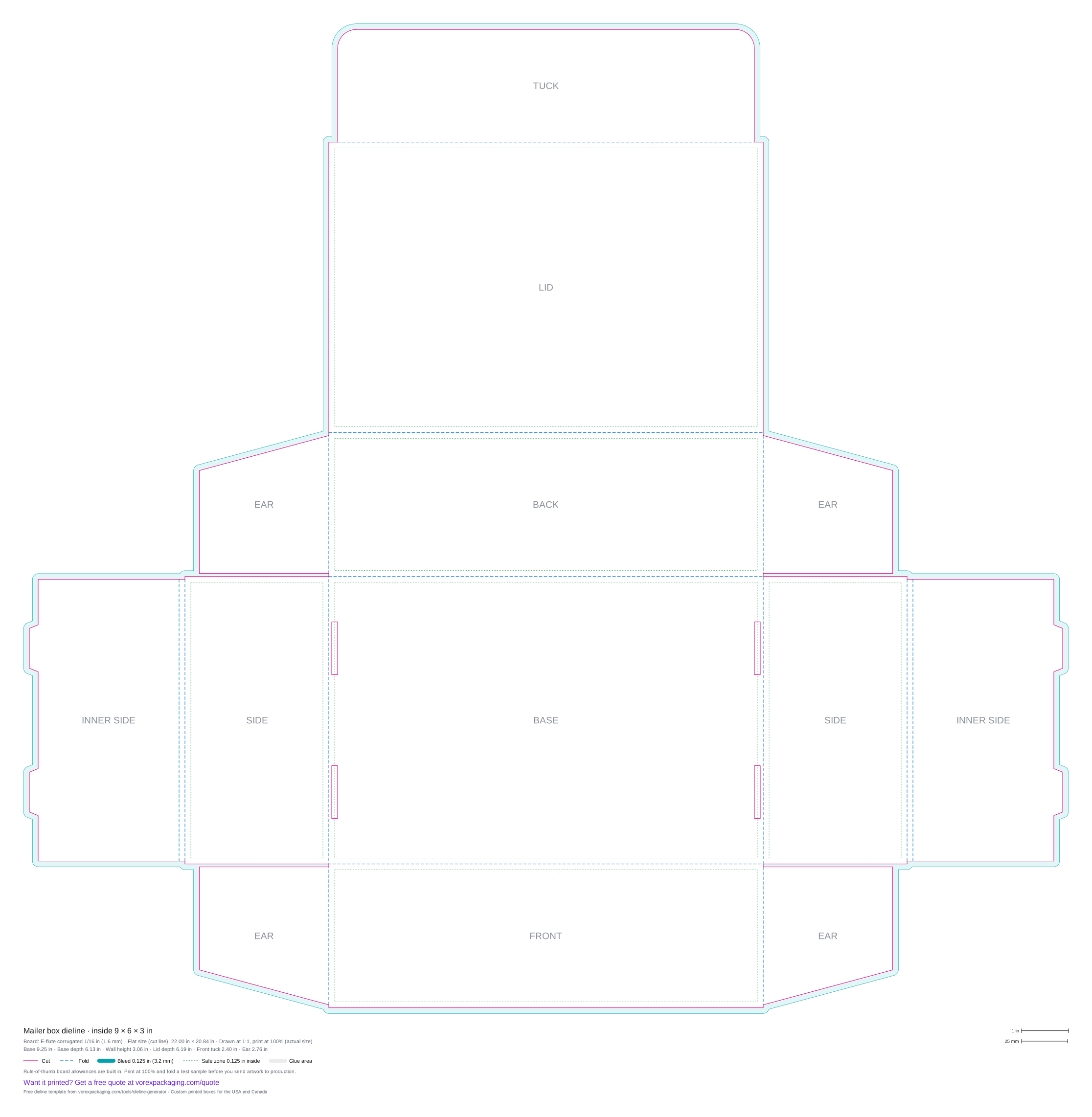
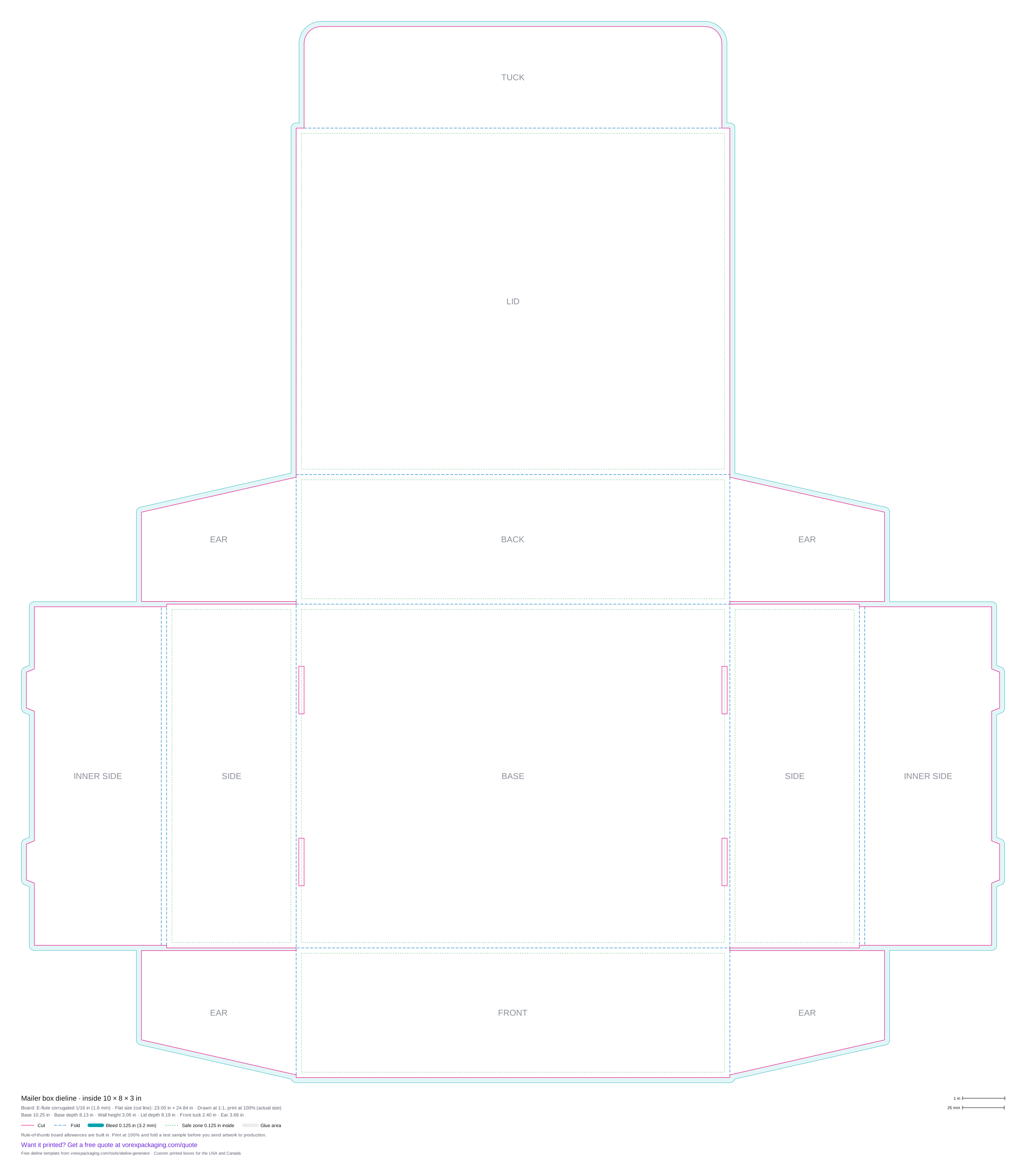
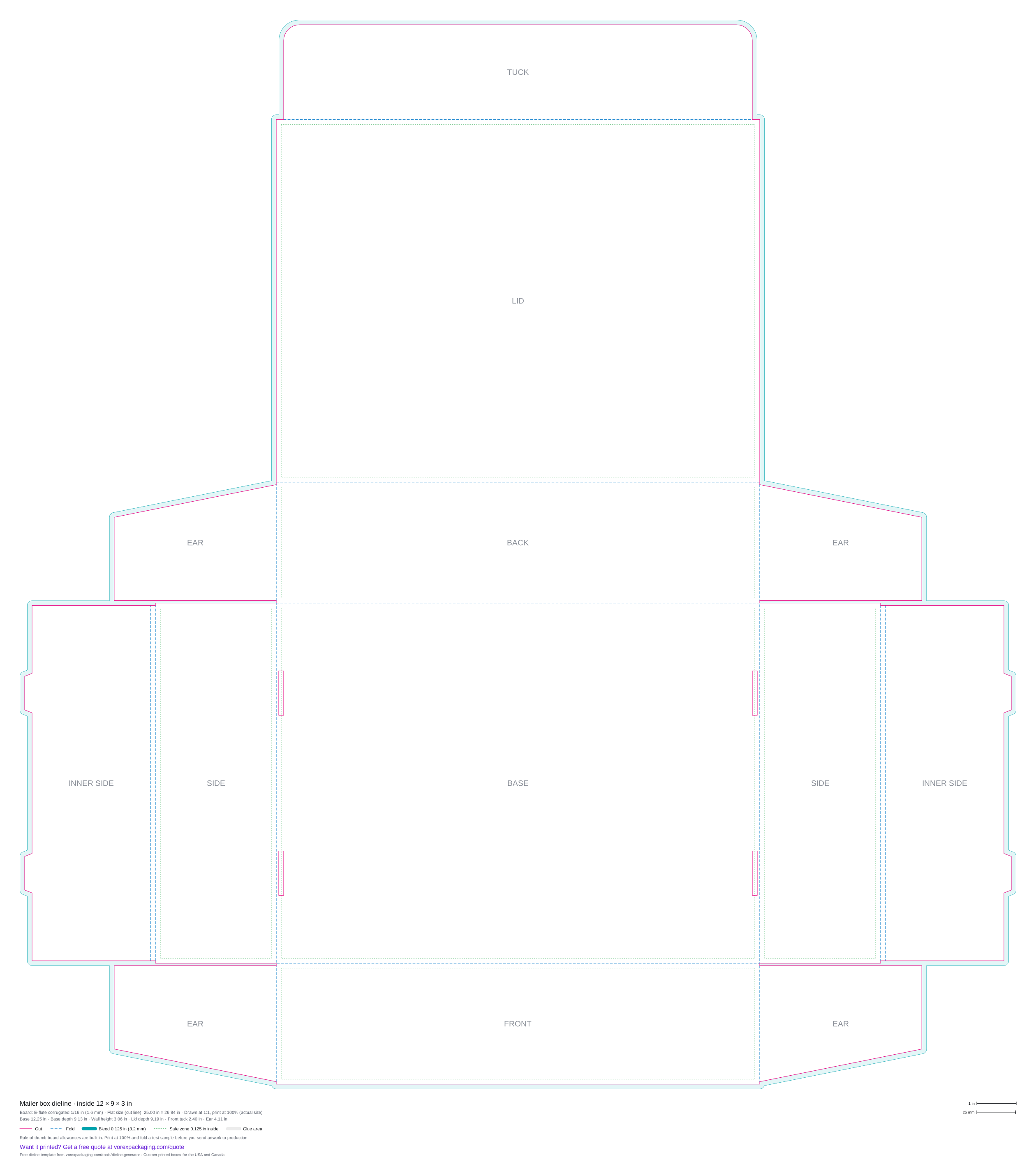
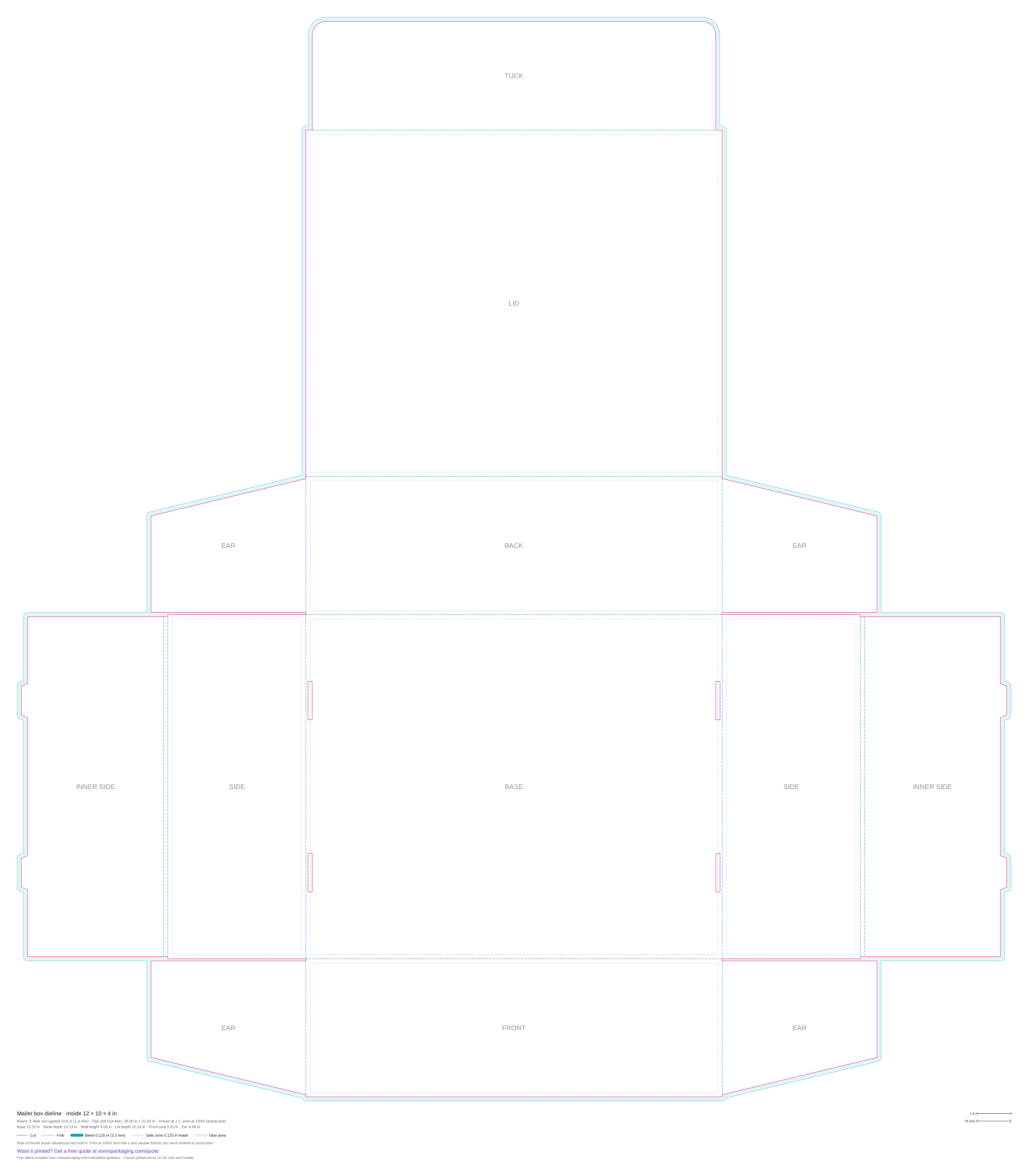
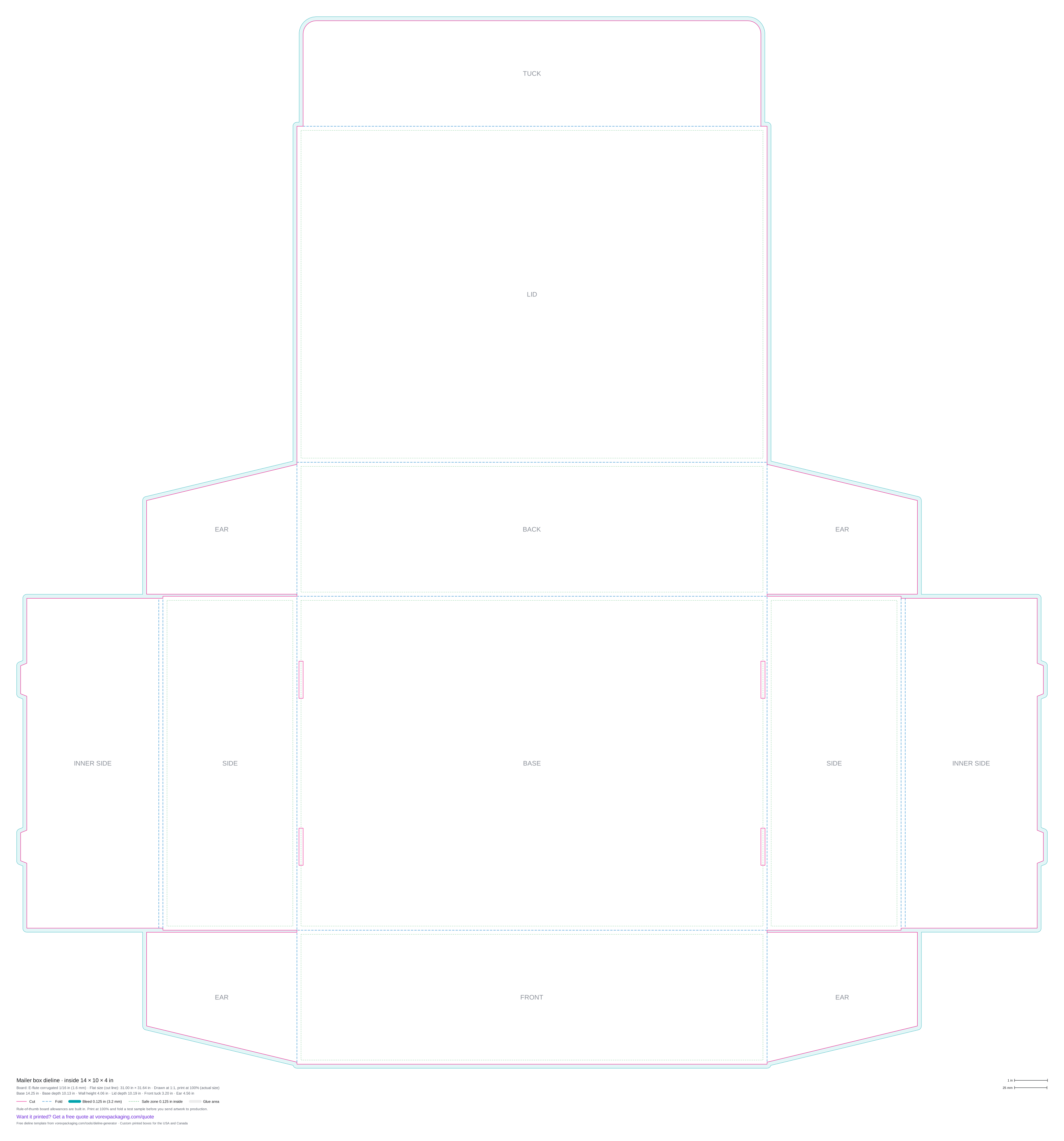
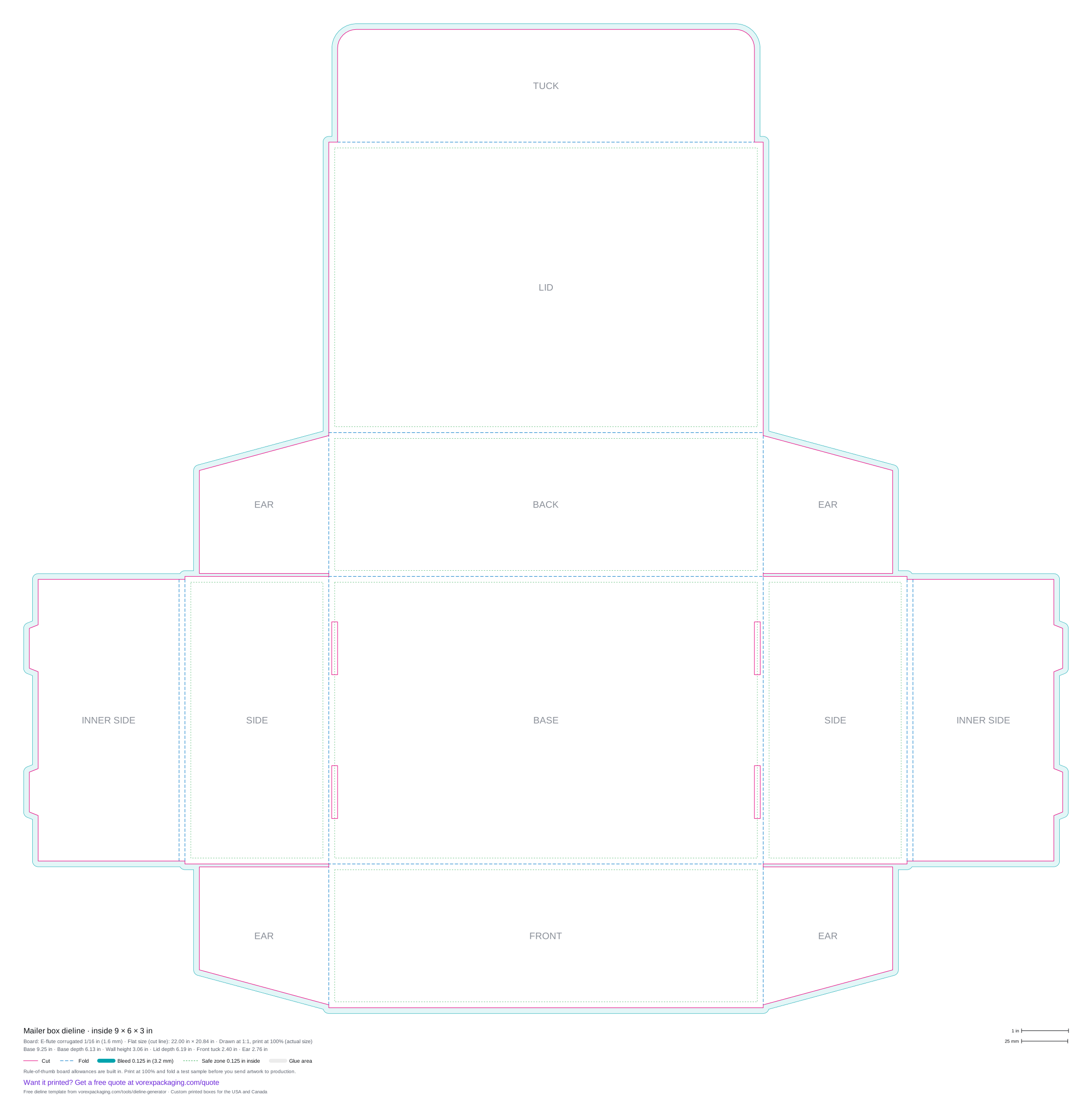
The classic e-commerce mailer box is a roll end front tuck (RETF) design: one piece of corrugated board with a base, a lid hinged on the back wall, a front tuck flap, and side walls that roll over into a double wall with lock tabs that click into slots in the base. This free generator draws that dieline for your inside size, with ears on the back and front walls that are trapped inside the rolled sides. Download SVG or a 100%-scale PDF.
- Cut line
- Fold / crease
- Bleed 0.125 in
- Safe zone 0.125 in
- Glue area
Common mailer box sizes
Inside sizes in inches on E-flute corrugated 1/16 in (1.6 mm). Each file is drawn at actual size with cut, fold, bleed and safe zone layers.
| Inside size (L × W × H) | Flat size | Download |
|---|---|---|
| 6 × 4 × 2 in | 15.00 × 14.04 in | SVG · PDF · Quote this size |
| 8 × 6 × 2 in | 17.00 × 18.04 in | SVG · PDF · Quote this size |
| 9 × 6 × 3 in | 22.00 × 20.84 in | SVG · PDF · Quote this size |
| 10 × 8 × 3 in | 23.00 × 24.84 in | SVG · PDF · Quote this size |
| 12 × 9 × 3 in | 25.00 × 26.84 in | SVG · PDF · Quote this size |
| 12 × 10 × 4 in | 29.00 × 31.64 in | SVG · PDF · Quote this size |
| 14 × 10 × 4 in | 31.00 × 31.64 in | SVG · PDF · Quote this size |
Mailer box
Mailer boxes are the standard shipping and subscription box for e-commerce brands because they fold without glue or tape and open like a book. The default board is E-flute corrugated (1/16 in), and the allowances grow with the board thickness you choose.
What the template includes
- Cut lines (solid) and fold lines (dashed) on separate layers
- A 0.125 in (3.2 mm) bleed outside the cut and a 0.125 in safe zone inside each main panel
- Panel labels and a legend with every panel size, the flat size and the board
- 1 in and 25 mm scale bars, so you can check a print at 100%
From template to printed box
- Pick the box style. Choose the style and enter the inside length, width and height in inches or millimetres.
- Set the board. Choose SBS paperboard, E-flute corrugated or a custom thickness, and adjust the glue and tuck flaps if you need to.
- Download the template. Download the dieline as SVG or PDF. Both are drawn at actual size.
- Check the scale. Print the PDF at 100% (actual size) and measure the 1 in bar in the legend, then cut and fold a test sample.
- Place your artwork. Open the file in Illustrator, Affinity, Inkscape or Canva, keep the dieline on its own layer, extend backgrounds to the bleed line and keep text inside the safe zone.
- Send it to print. Ask your printer to confirm the final die line for their board, then send the artwork for a proof.
Dieline questions
What does roll end front tuck mean?
Does the mailer need glue?
Can I make it in paperboard instead of corrugated?
Order this box printed
- Custom Mailer Boxes
- Custom Kraft Mailer Boxes
- Custom Corrugated Mailer Boxes
- Custom White Mailer Boxes
- Custom Black Mailer Boxes
- Custom Tuck Top Mailer Boxes