


Free tool · SVG + PDF · No sign-up
Free Pillow Box Dieline Template
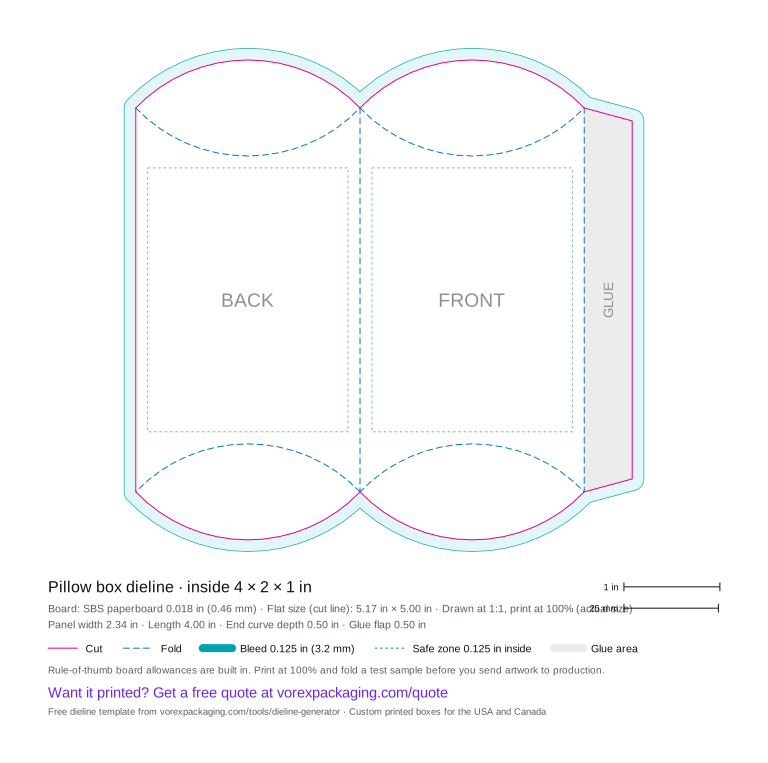
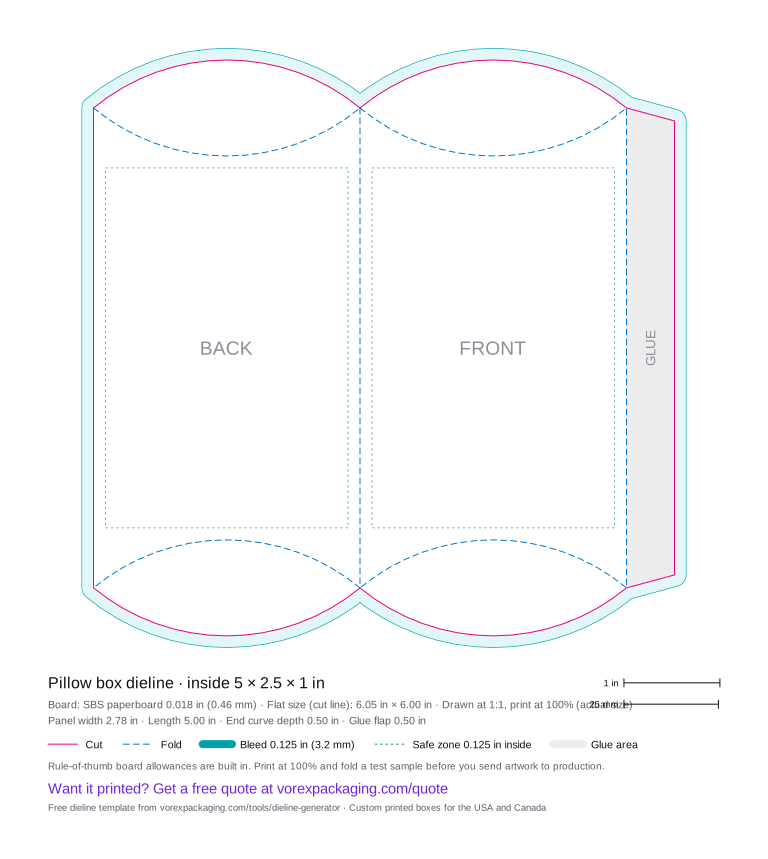
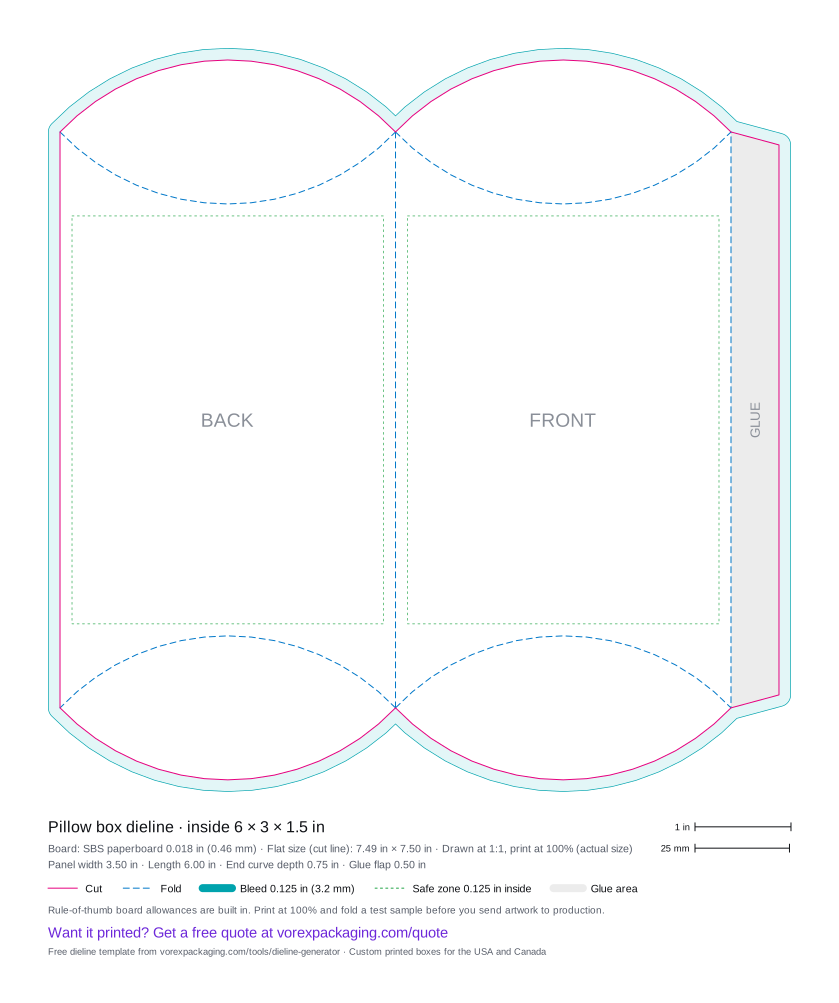
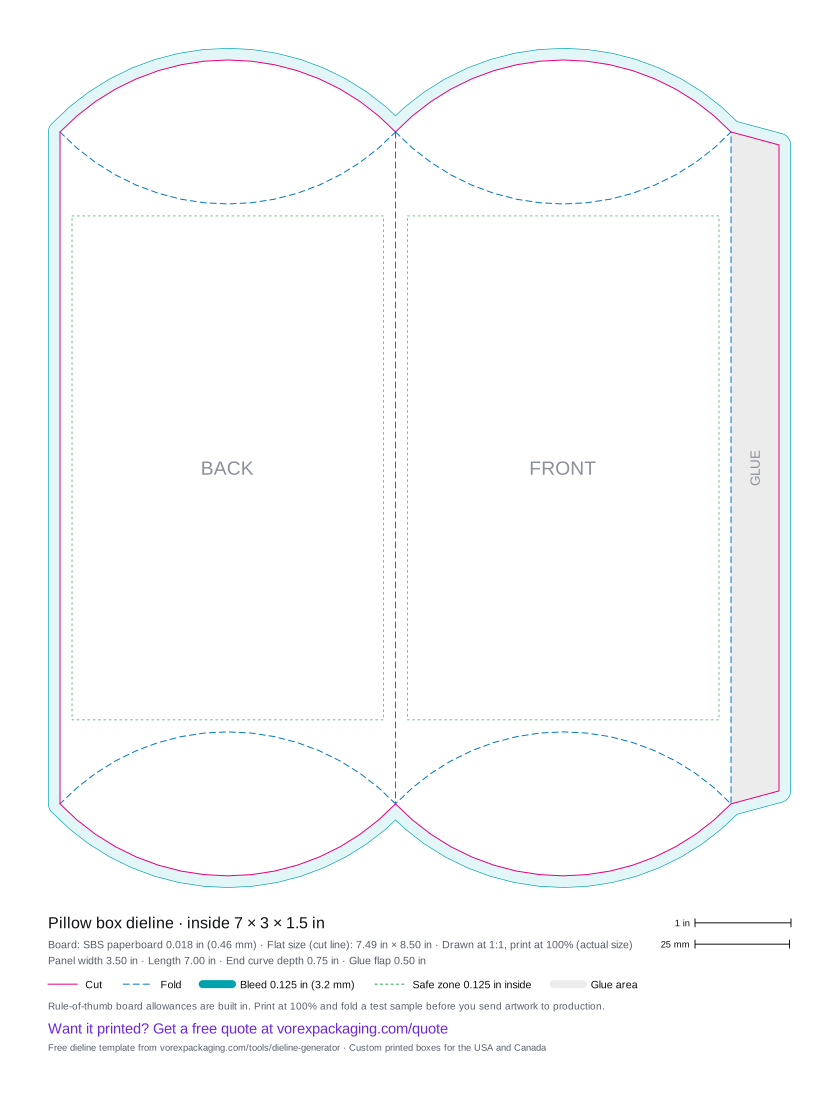
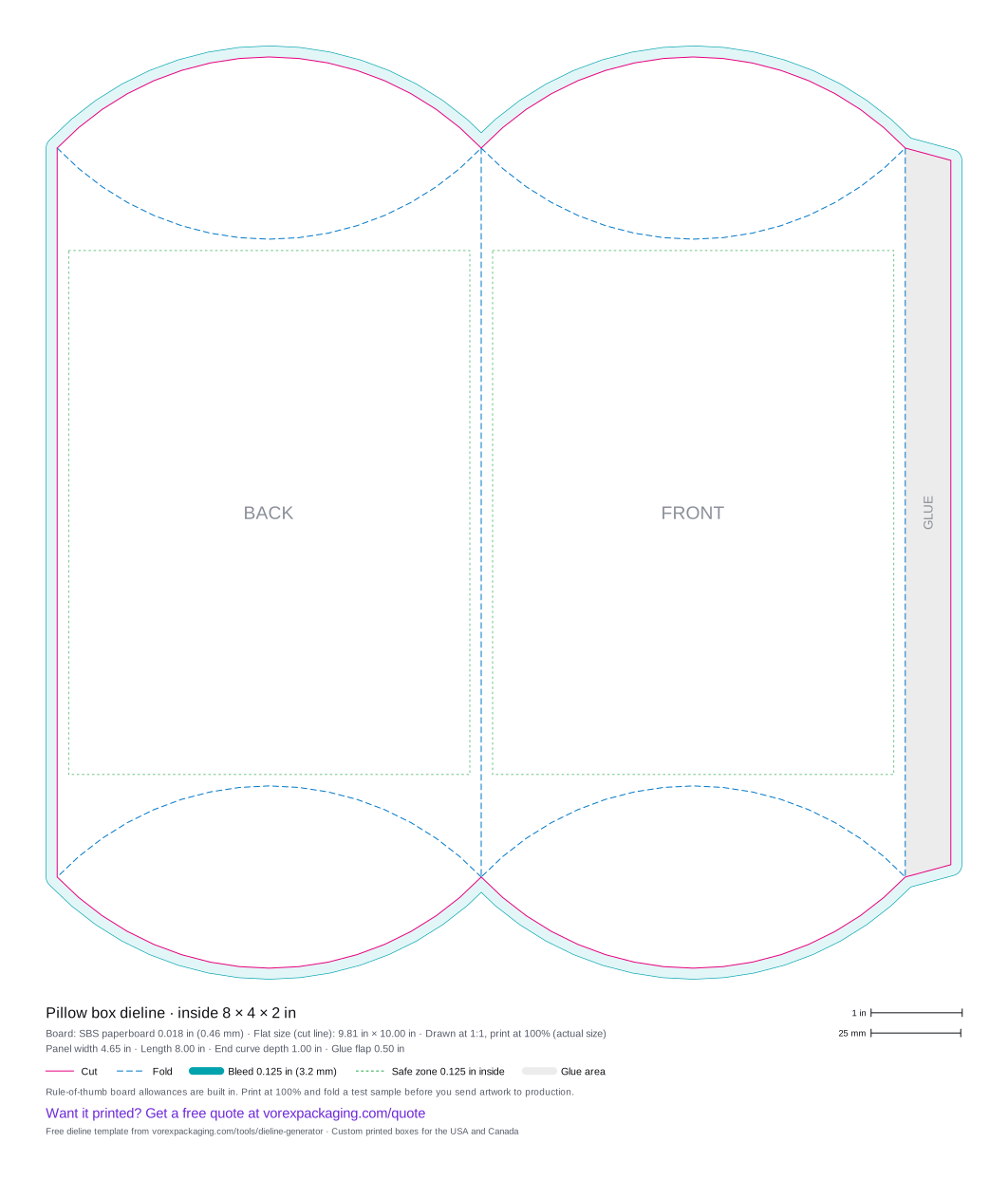
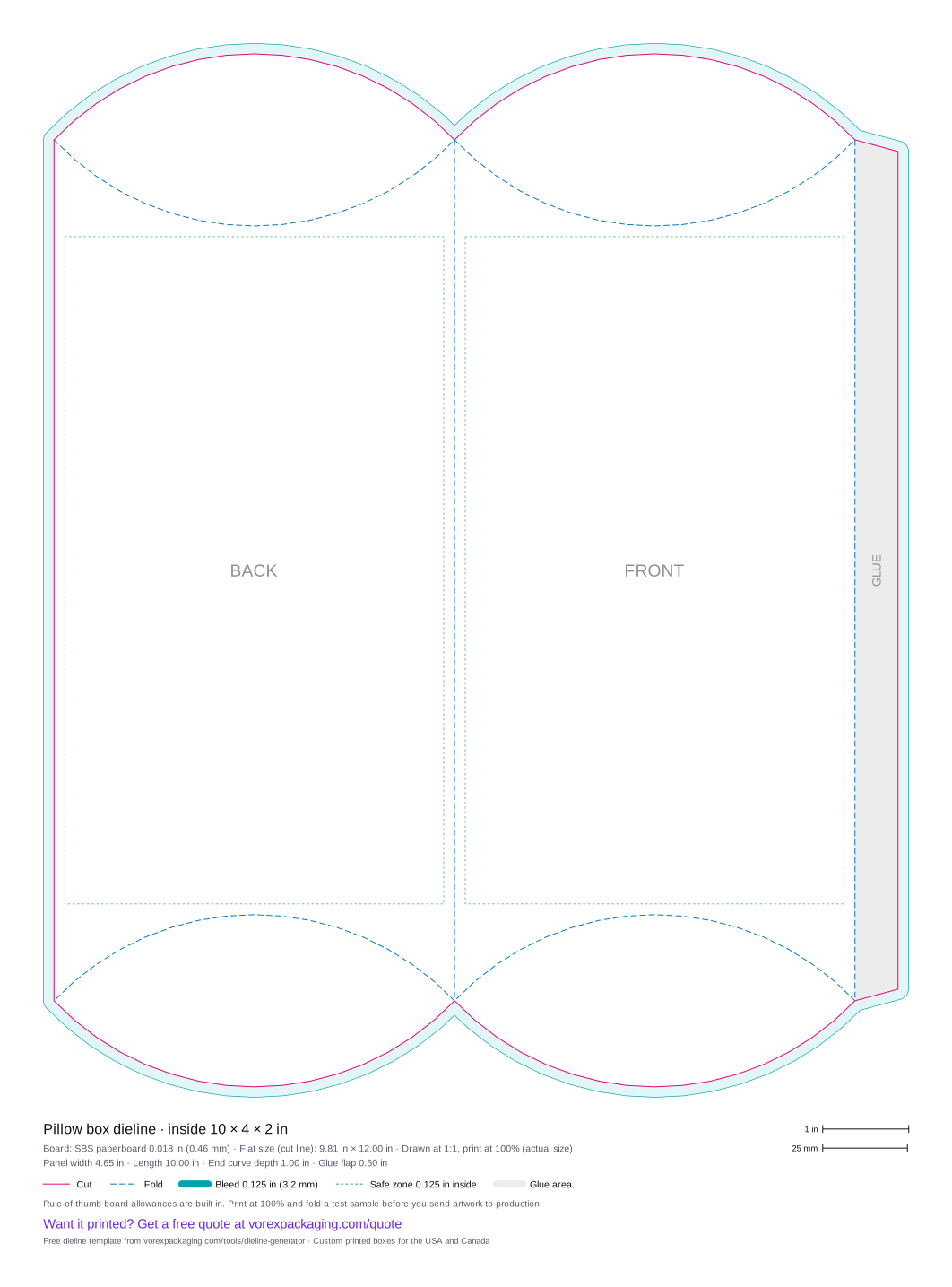
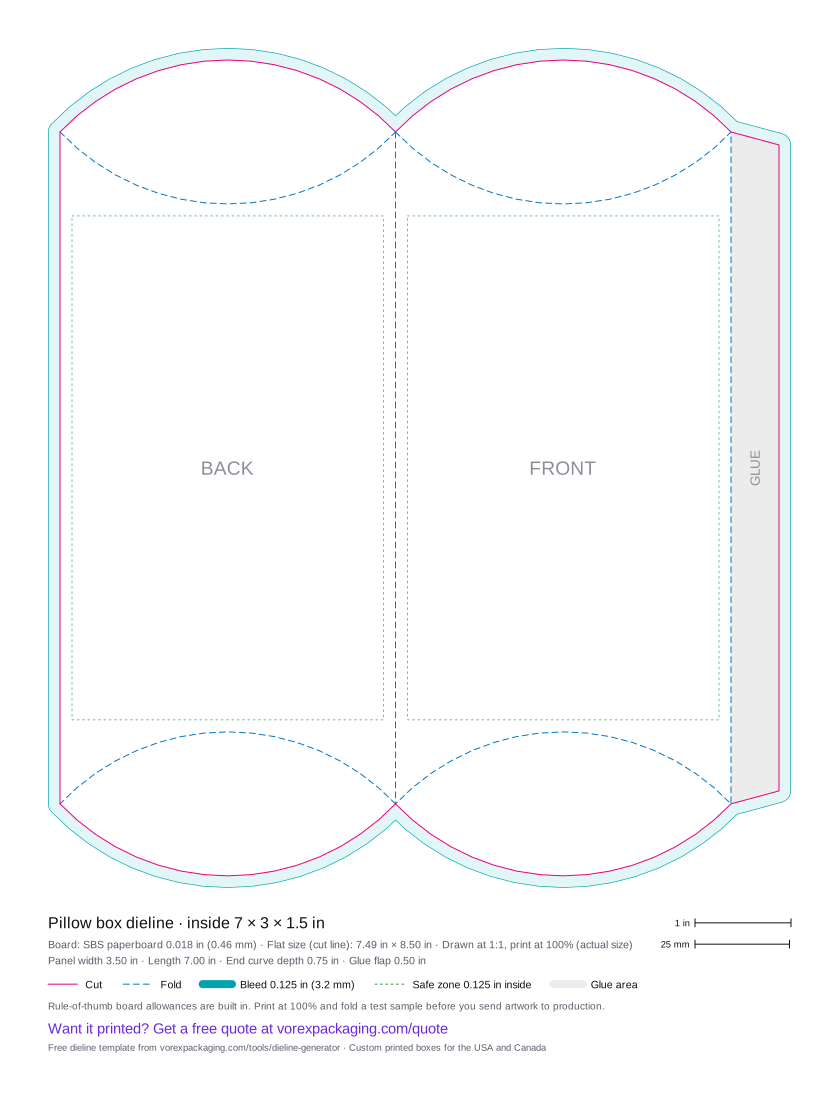
A pillow box is a curved carton made from two panels and a glue flap, closed at each end by curved flaps that fold in along curved score lines. This free generator draws the flat pillow box dieline from the length (end to end), face width and thickness you enter: it sizes each panel to the arc of the box's cross-section and sets the end curves to half the thickness. Download SVG or a 100%-scale PDF.
Want it printed?Send this size for a free quote. A packaging specialist replies with pricing and a digital proof on the exact dieline.
Get a free quote
- Cut line
- Fold / crease
- Bleed 0.125 in
- Safe zone 0.125 in
- Glue area
Ready-made templates
Common pillow box sizes
Inside sizes in inches on SBS paperboard 0.018 in (0.46 mm). Each file is drawn at actual size with cut, fold, bleed and safe zone layers.
| Inside size (L × W × H) | Flat size | Download |
|---|---|---|
| 4 × 2 × 1 in | 5.17 × 5.00 in | SVG · PDF · Quote this size |
| 5 × 2.5 × 1 in | 6.05 × 6.00 in | SVG · PDF · Quote this size |
| 6 × 3 × 1.5 in | 7.49 × 7.50 in | SVG · PDF · Quote this size |
| 7 × 3 × 1.5 in | 7.49 × 8.50 in | SVG · PDF · Quote this size |
| 8 × 4 × 2 in | 9.81 × 10.00 in | SVG · PDF · Quote this size |
| 10 × 4 × 2 in | 9.81 × 12.00 in | SVG · PDF · Quote this size |
About this style
Pillow box
Pillow boxes are popular for gift cards, jewelry, soap, hair extensions and party favors. Curved folds behave a little differently on every board, so fold a printed sample before production.
What the template includes
- Cut lines (solid) and fold lines (dashed) on separate layers
- A 0.125 in (3.2 mm) bleed outside the cut and a 0.125 in safe zone inside each main panel
- Panel labels and a legend with every panel size, the flat size and the board
- 1 in and 25 mm scale bars, so you can check a print at 100%
How to use a dieline
From template to printed box
- Pick the box style. Choose the style and enter the inside length, width and height in inches or millimetres.
- Set the board. Choose SBS paperboard, E-flute corrugated or a custom thickness, and adjust the glue and tuck flaps if you need to.
- Download the template. Download the dieline as SVG or PDF. Both are drawn at actual size.
- Check the scale. Print the PDF at 100% (actual size) and measure the 1 in bar in the legend, then cut and fold a test sample.
- Place your artwork. Open the file in Illustrator, Affinity, Inkscape or Canva, keep the dieline on its own layer, extend backgrounds to the bleed line and keep text inside the safe zone.
- Send it to print. Ask your printer to confirm the final die line for their board, then send the artwork for a proof.
FAQ
Dieline questions
Which sizes do I enter for a pillow box?
Length is the box from end to end, width is the width of the face, and height is the thickness at the centre. The thickness can be at most the width, and the length at least twice the thickness.
How are the curves calculated?
Each panel is as wide as a circular arc that spans the face width and bulges by half the thickness, plus one board thickness. The end scores are circular arcs that reach half the thickness into the panel, and the cut line mirrors them.
Do pillow boxes need glue?
Only on the side glue flap. The curved ends fold in and hold by tension.